
CAD ALTERNATIVE FOR GARDEN & LANDSCAPE DESIGNERS
Professional planting plans without complex CAD software
Not every garden design project needs a full CAD system.
Create scaled planting layouts, manage plant quantities and prepare connected plant schedules — all within your PlantFrame project.
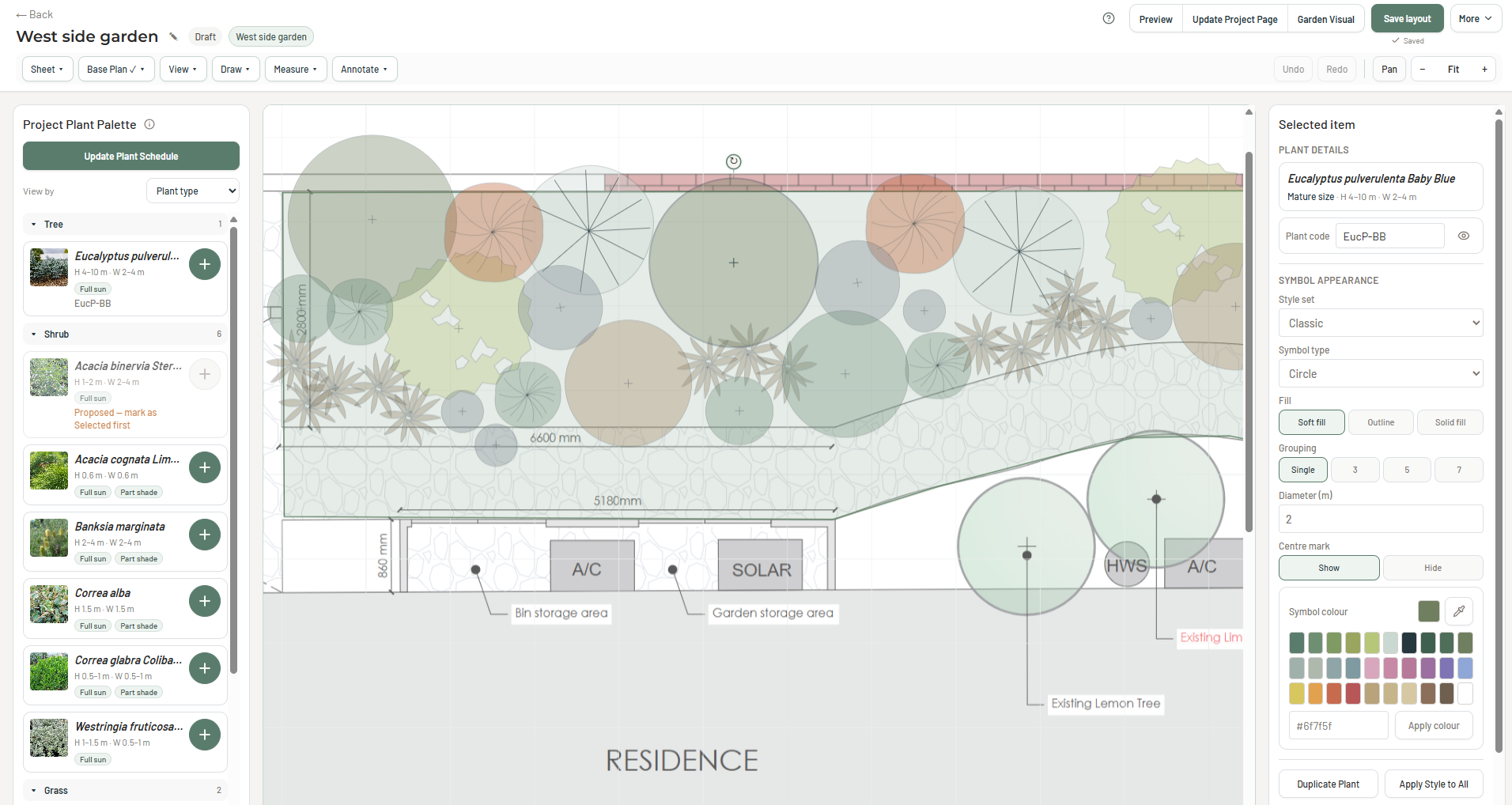
Five steps. One connected planting plan.
Upload
Bring in your existing base plan and calibrate the drawing scale.
Select
Choose plants from your existing project palette.
Arrange
Place plant symbols and develop your scaled planting layout.
Quantify
Establish plant quantities and update your plant schedule.
Export
Export your planting layout as a PDF for project documentation.
BEYOND THE PLANTING PLAN
From this planting plan to a garden visual.
See how the planting plan shown above informs an AI-assisted garden visual, using the project's plant selections, layout and site information — without rebuilding the design in 3D modelling software.
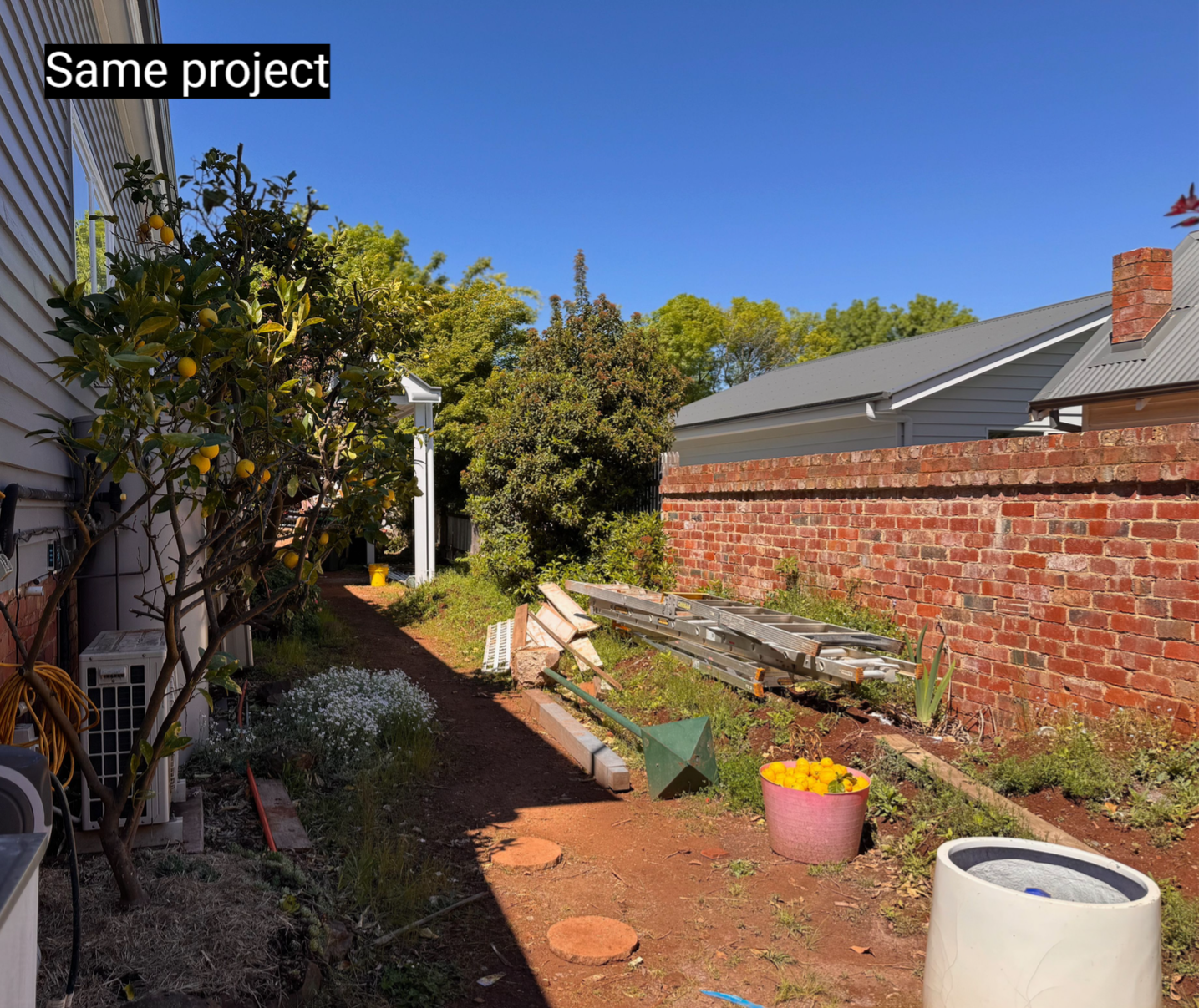
Original site photo
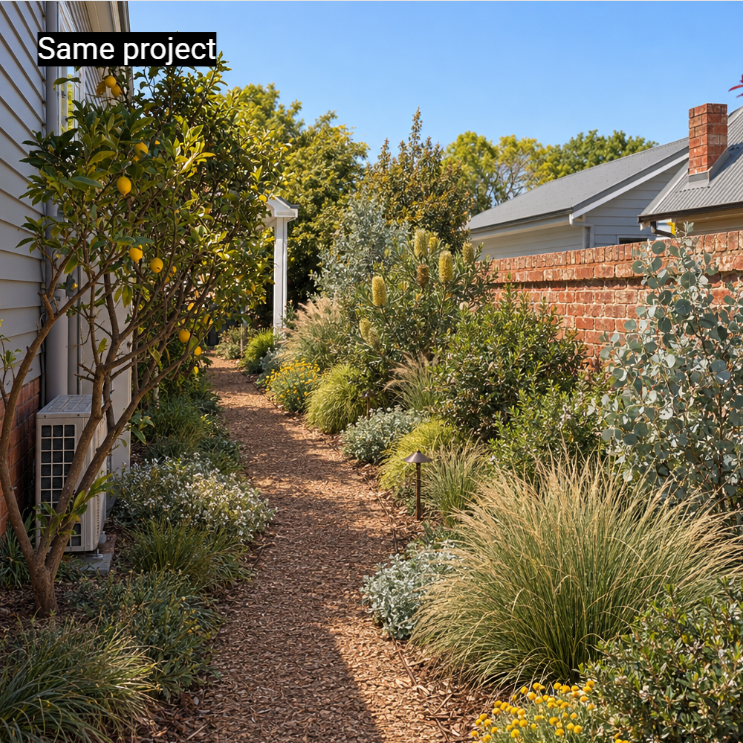
AI-assisted garden visual informed by the planting plan shown above.
PLANTFRAME VS TRADITIONAL CAD
Do you actually need a full CAD system?
Traditional CAD software offers powerful drawing and modelling capabilities. But if your work focuses on planting design, you may not need all that complexity. Here's how PlantFrame compares for the work garden designers do every day.
CAD capabilities vary by application. PlantFrame focuses on planting design and connected professional project workflows. Specialist CAD software may still be required for advanced modelling and technical construction documentation.
ALREADY HAVE A PLANTING PLAN?
Keep your CAD workflow. Lose the duplicated admin.
Upload an existing planting plan, let PlantFrame analyse the planting information, then review and update your project palette, plant schedule and Studio Plant Library.
Upload
Analyse
Review & Update
FAQ
Frequently Asked Questions
For many garden designers, yes. If your work centres on creating planting layouts from an existing base plan, managing plant quantities and preparing planting schedules, PlantFrame can provide the tools you need without a traditional CAD workflow.
For detailed site engineering, advanced 3D modelling and comprehensive construction documentation, specialist CAD software may still be required.
Yes. Upload an existing base plan, calibrate the drawing scale and develop your planting layout using plants from your project palette.
You don't need to learn a traditional CAD drawing environment to get started.
Yes. Upload an exported planting plan for analysis. PlantFrame can identify planting information so you can review and reconcile detected plants with your project palette, Studio Plant Library and plant schedule.
This allows you to retain your existing CAD workflow while keeping planting information connected to the wider project.
PlantFrame supports plant counts based on your planting layout. Planting quantities can be carried through to the project plant schedule, reducing the need to maintain separate spreadsheets.
Yes. PlantFrame's AI-assisted Garden Visuals use project information, site photographs and planting direction to help communicate your proposed garden design.
These are client-facing visualisations rather than technical 3D CAD models.
READY TO GET STARTED?
Professional planting plans. Less complicated software.
Create planting layouts, connect plant schedules and keep your garden design projects moving in PlantFrame.