
ONSITE CAPTURE FOR GARDEN & LANDSCAPE DESIGNERS
A site visit shouldn't create another hour of admin.
Capture site photographs, notes, conditions, sketches and plant discoveries directly into your PlantFrame project — while you're still on site.
CAPTURE WHAT MATTERS
Everything you notice on site. One connected project.
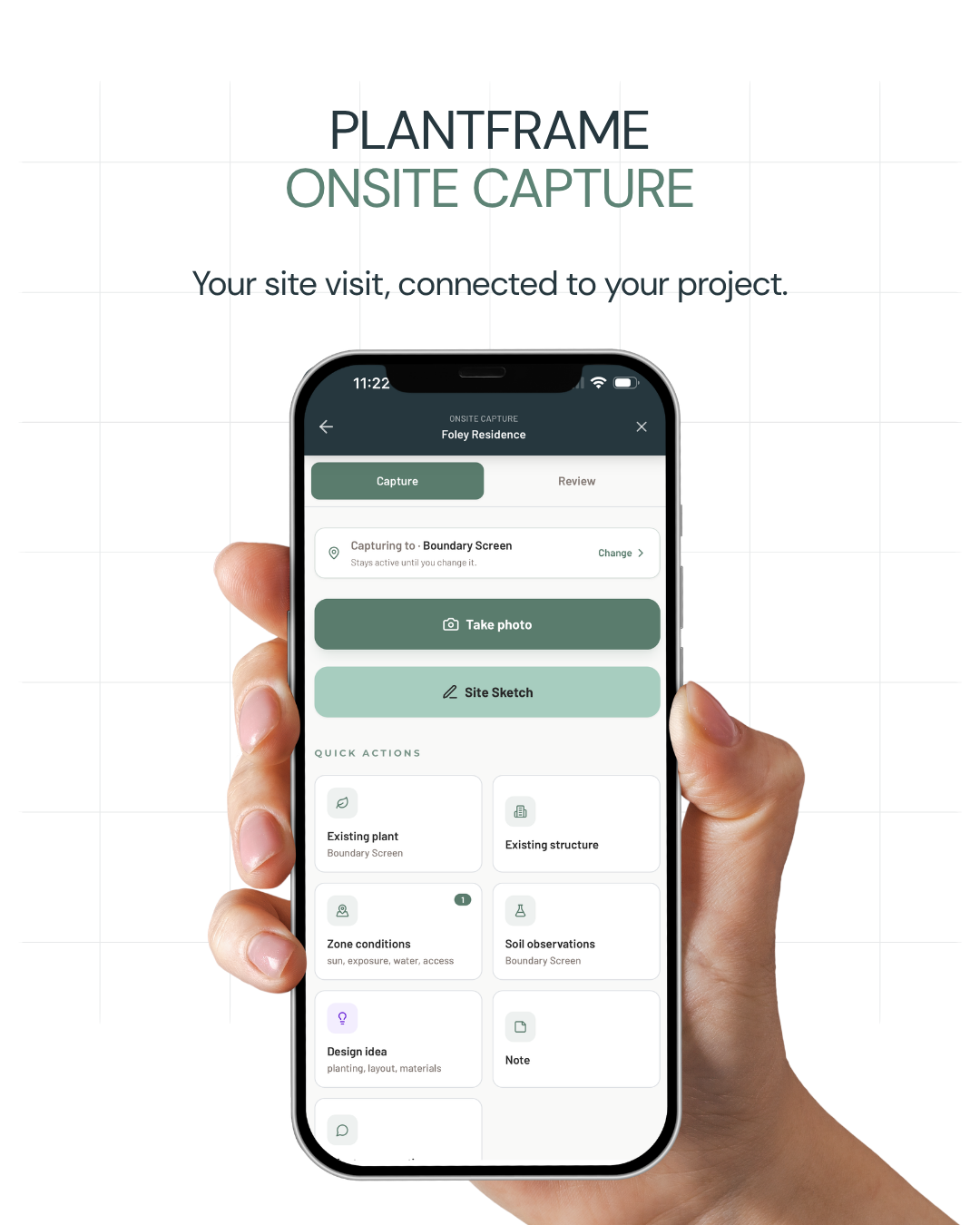
Site photographs
Capture existing conditions, views, garden areas and important details directly against the project.
Notes and observations
Record site conditions, opportunities, constraints and client comments while they're still fresh.
Existing plants
Use Plant ID to identify plants during your visit and keep the results available for review within the project.
Sketches and site information
Keep sketches, measurements and other site references alongside the photographs and notes they relate to.
FROM SITE VISIT TO STUDIO
Capture it on site. Use it back in the studio.
Visit
Open your project on your phone when you arrive on site.
Capture
Record photographs, plants, observations and sketches as you work.
Review
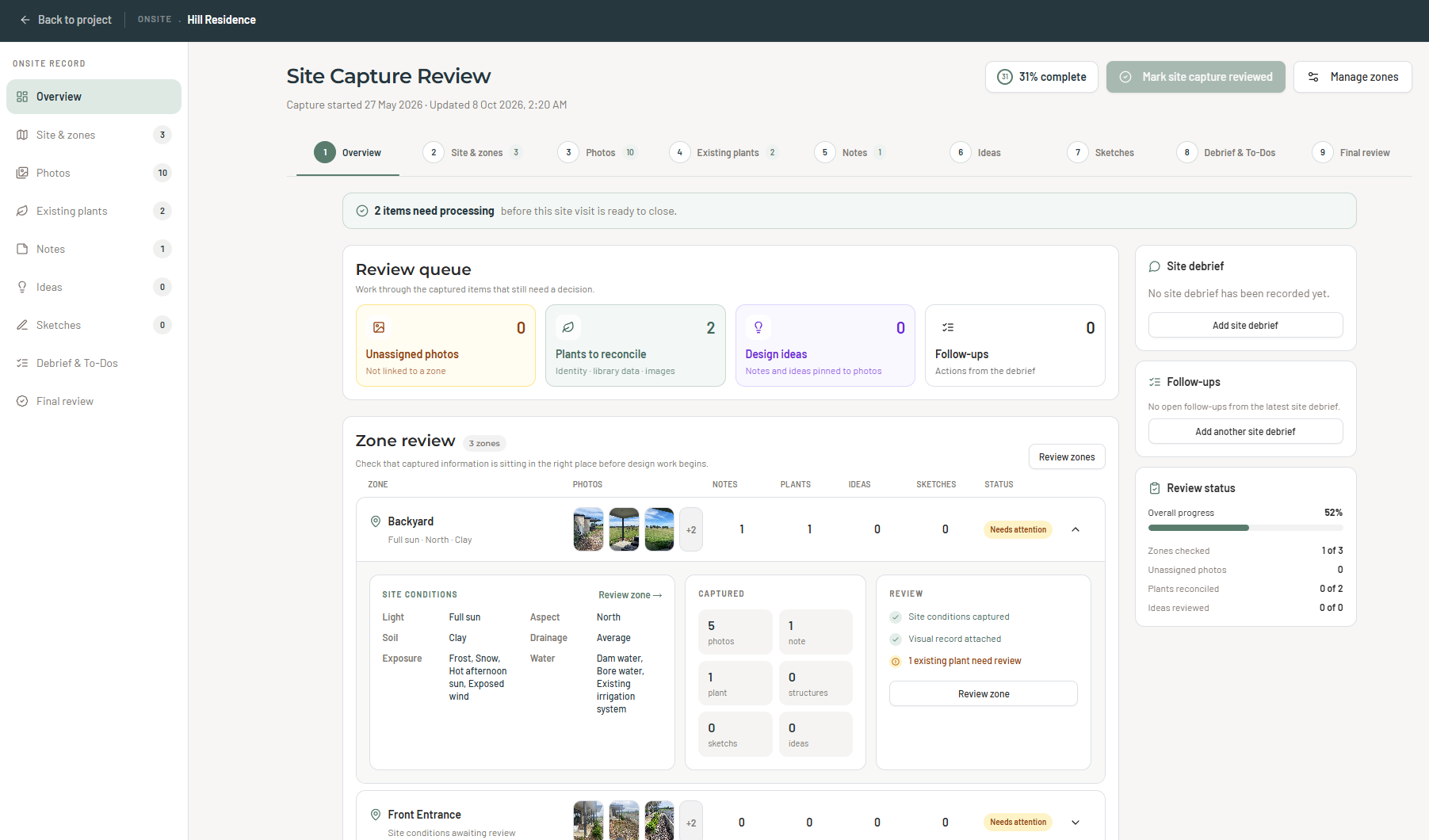
Return to organised site information, ready to review and develop.
Design
Use your site information to inform the brief, plant selections and design direction.
AFTER THE SITE VISIT
Finish the site visit. Know what needs doing next.
Capture site information as you work, record a voice debrief after the meeting and turn your observations into actionable follow-up tasks — all connected to your PlantFrame project.
Capture
Record site photos, conditions, existing plants and client preferences during your visit.
Debrief
Record a voice debrief after the meeting while conversations and observations are still fresh.
Follow Up
Turn your debrief into actionable tasks and clear next steps for your garden design project.
Review
Review captured information and organise your project to-do list back in the studio.
Less remembering what was discussed. More clarity about what happens next.
MORE THAN SITE NOTES
Your site visit is the beginning of the design.
Site photos, observations and plant discoveries become part of your PlantFrame project — ready to inform your planting palettes, design direction and client presentations.
FAQ
Frequently Asked Questions
PlantFrame's Onsite workspace lets you capture site photographs, sketches, existing plants, structures, soil observations, site conditions and client preferences directly against your garden design project.
This keeps important site information organised in one place, rather than scattered across notebooks, photographs and different apps.
Yes. PlantFrame's Onsite workspace is designed for mobile use, so you can record information directly against your project while visiting the site.
PlantFrame works through your browser, allowing you to access your project without needing desktop design software on site.
Yes. PlantFrame includes Plant ID functionality to assist with identifying existing plants during a site visit.
Identification results should be reviewed using your own horticultural knowledge, particularly where accurate species or cultivar identification is important.
Your captured information stays connected to the relevant PlantFrame project.
When you're back in the studio, you can review site photographs, notes and observations to inform your design brief, planting selections and design direction.
Yes. After your site visit, you can record a voice debrief while your observations and client discussions are still fresh.
PlantFrame helps turn your debrief into actionable follow-up tasks, which you can review and organise as part of your project workflow.
Yes. Onsite Capture is part of PlantFrame's Project Hub workflow, connecting site information with subsequent garden design development.
You can explore the Project Hub with a 30-day free trial. No credit card is required.
READY FOR YOUR NEXT SITE VISIT?
Less sorting after the visit. More time for design.
Keep site photos, notes, plants and observations connected to the project from day one.
Start your 30-day free trialNo credit card required.