
GARDEN DESIGN WORKFLOW
Garden Design Workflow Software: What an End-to-End Project Hub Should Actually Do
Garden design software often solves one part of the process well — drawing, planting, visualisation, client presentation or project management.
But professional garden design rarely happens in isolated stages.
Information gathered during the first site visit informs the brief. The brief informs plant and material selections. Those selections feed into visualisation, client presentations, planting plans and schedules. Client decisions need to flow back into the project, and the final information needs to be ready for delivery and handover.
An end-to-end garden design project hub brings those stages together, so project information can keep working as the design develops rather than being recreated, copied between systems or lost in separate files.
What does “end-to-end” actually mean in garden design software?
End-to-end does not necessarily mean replacing every specialist design tool.
Detailed CAD, 3D modelling and technical drawing software may still have an important place in a professional workflow.
The difference is that an end-to-end project hub connects the information surrounding the design — from the first site visit through design development, client review, approvals, documentation and final handover.
Instead of treating each stage as a separate task, the project becomes one connected body of information.
Site capture
A garden project begins long before the first drawing.
Site photographs, notes, measurements, existing conditions, client conversations and observations all influence what comes next.
Garden design workflow software should make it easy to capture this information while onsite and keep it attached to the project, rather than leaving it scattered across a camera roll, notebook, voice memo or inbox.
The goal is not simply to store site information. It is to make it useful later in the design process.
Brief and scope
The project brief establishes what the client needs, what the designer is being engaged to deliver and the overall direction of the work.
Keeping the brief and scope within the same project workspace creates a useful reference point throughout the design process.
As decisions are made, the designer can return to the original priorities rather than relying on separate proposal documents, meeting notes or memory.
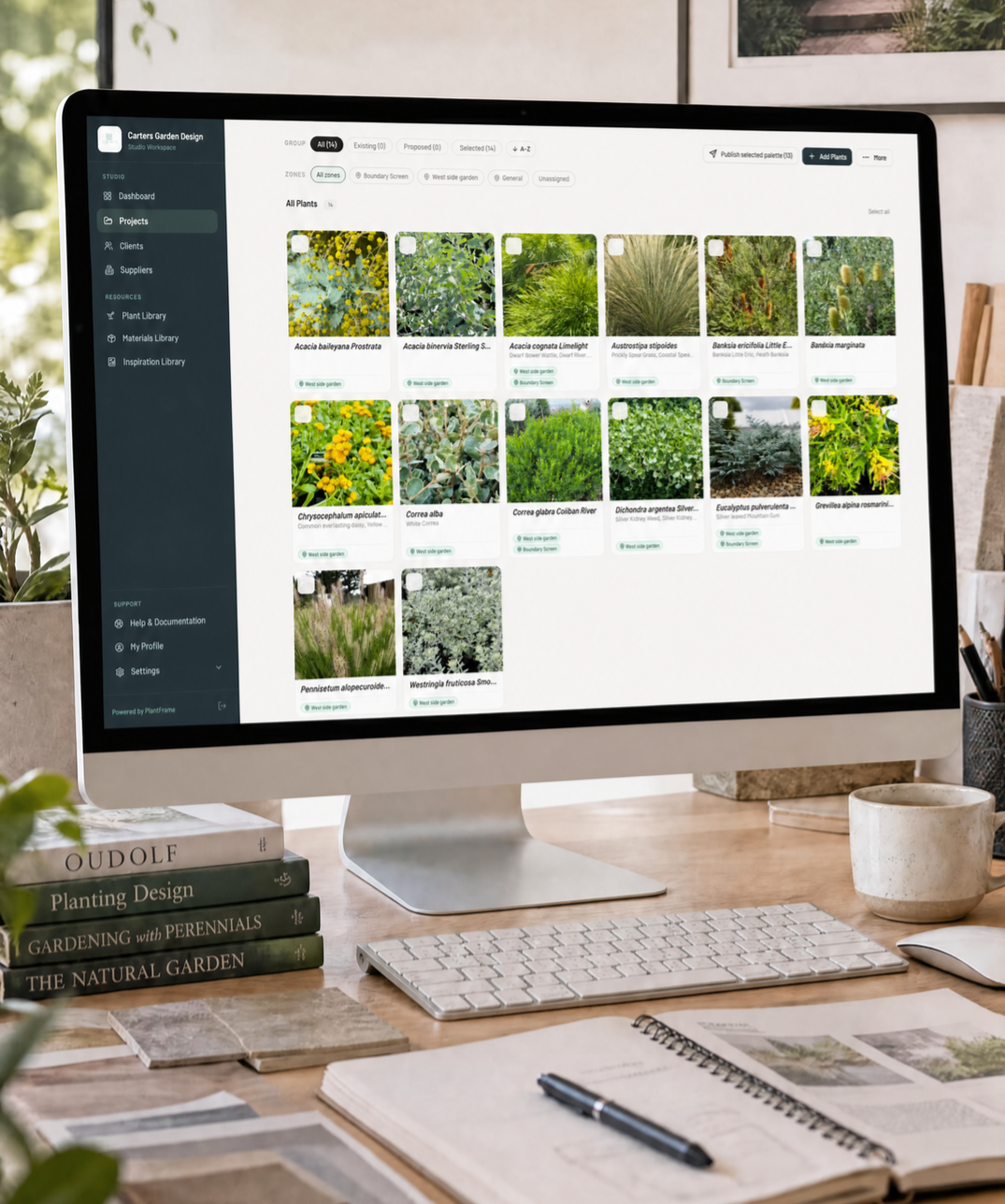
Plants and materials
Plants and materials are not standalone specifications. They are part of the broader design direction.
A connected workflow should allow designers to research, save and develop plant palettes and material selections within the context of the project.
Reusable studio libraries can make this even more efficient, allowing frequently specified plants and materials to be carried into future projects without rebuilding the same information each time.
Design development
As the concept develops, project information should become more useful — not more fragmented.
Plans, drawings, inspiration, plant selections, materials and design decisions all contribute to the emerging garden.
This is where connected software differs from a collection of separate tools. Information already gathered or developed during earlier stages should continue to support the work instead of needing to be re-entered elsewhere.
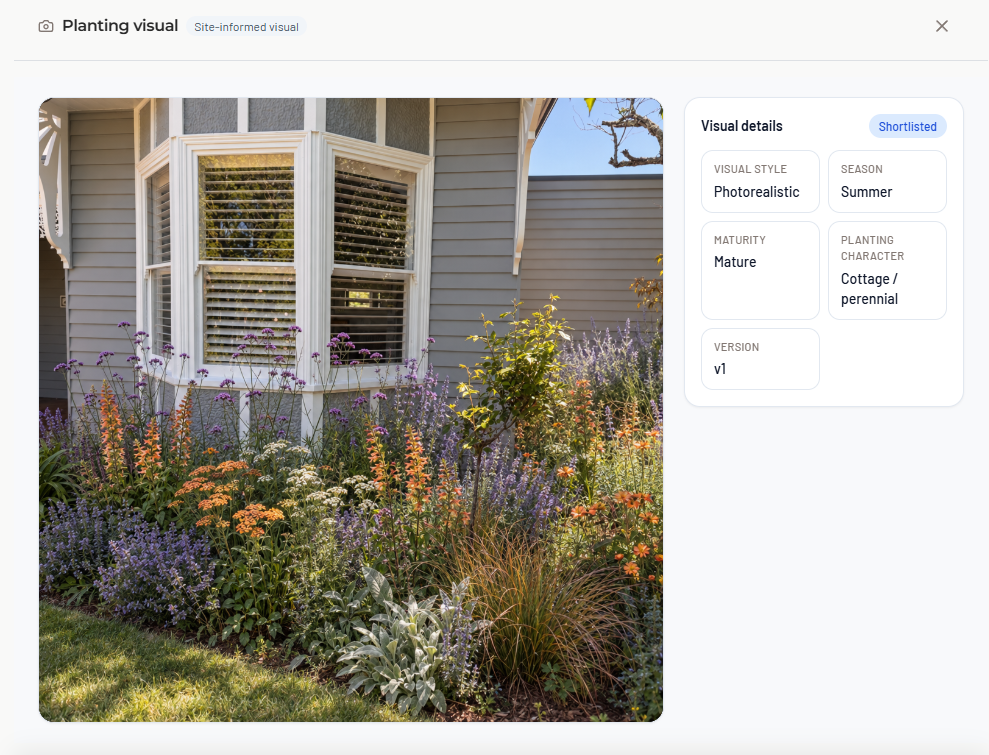
Garden visualisation
Visualisation helps clients understand how a proposed garden may feel before it is built.
But the most useful garden visualisation is informed by the actual project — the site, planting direction, materials and design decisions — rather than existing as an isolated image-generation exercise.
Keeping visualisation inside the broader project workflow means the imagery can support client communication without becoming disconnected from the design information behind it.
Client Presentation
A professional garden design project involves far more than sending a drawing.
Clients may need to review the design direction, inspiration, plants, materials, garden visuals, plans and supporting information.
A connected client-facing project space can bring those elements together so the client understands what they are reviewing and the designer has a clearer record of what has been presented.
Approvals and decisions
Client decisions are part of the project record.
When approvals, comments and changes happen across email, text messages, PDFs and meetings, it becomes difficult to establish what has actually been agreed.
Garden design workflow software should keep reviews and decisions connected to the relevant project information so the design can progress with greater clarity.
Planting layouts
Once plant selections have been developed, they need to move into the planting plan.
A connected workflow reduces the gap between the plant palette and the final layout by allowing the same project planting information to continue through the design process.
That also creates a stronger foundation for producing accurate schedules and documentation later.
Schedules and documentation
Plant schedules, material schedules, planting plans, care information and other project documents should reflect the decisions already made throughout the project.
The more project information remains connected, the less duplication is required when preparing final documentation.
This is one of the practical benefits of an end-to-end workflow: information developed earlier continues to contribute to the final deliverables.
Project handover
The end of the design phase should not mean assembling information from five different systems.
A well-structured project should already contain the plans, selections, schedules, approvals and supporting information needed for delivery and handover.
That creates a clearer record for the designer, the client and — where relevant — contractors or installers.
One project, not ten disconnected stages
The value of end-to-end garden design software is not simply that it contains more features.
It is that the information created in one stage remains available and useful in the next.
Site information informs the brief. The brief informs the design direction. Plants and materials inform presentations and visuals. Client decisions inform plans and schedules. The finished project information supports delivery and handover.
That continuity is what turns a collection of software tools into a connected garden design workflow.
Where PlantFrame fits
PlantFrame is an end-to-end project hub built specifically for professional garden and landscape designers.
It connects site capture, project information, plant and material selections, Garden Visuals, client presentations, approvals, planting layouts, schedules and documentation within one project workspace.
PlantFrame is designed to work alongside specialist CAD and technical drawing software rather than requiring designers to replace the tools they already use.
Frequently Asked Questions
What is garden design workflow software?
Garden design workflow software helps garden and landscape designers manage the wider project process, including site information, briefs, plants, materials, design development, client presentations, approvals, planting plans, schedules and handover.
What does end-to-end garden design software mean?
End-to-end garden design software connects the different stages of a project so information created early in the process can continue to be used as the design develops. Rather than managing site notes, selections, client decisions and documentation in separate places, they remain connected within the project.
Does garden design workflow software replace CAD software?
Not necessarily. CAD and technical drawing software are designed primarily for creating detailed plans and drawings. A garden design project hub can work alongside those tools while managing the wider workflow around them, including site capture, plants, materials, client communication, approvals and project documentation.
What should garden design project software include?
Useful garden design project software should support the stages that surround the design itself: site capture, project brief and scope, plant and material selections, design development, visualisation, client presentation, approvals, planting layouts, schedules, documentation and project handover.