
PLANT LIBRARIES
How Garden Designers Organise Their Plant Library
A practical system for turning scattered plant research into a reusable design resource
Most garden designers already have a plant library. It just may not look like one.
Plant information often ends up spread across spreadsheets, nursery websites, saved images, planting schedules, notebooks and project folders. The challenge is not finding plant information — it is being able to retrieve and reuse what you already know.
A well-organised plant library turns that scattered research into a working design resource.
What should a plant library include?
A useful plant record should include botanical and common names, plant type and form, mature size, growing conditions, seasonal interest, tolerances, design characteristics and accurate reference images.
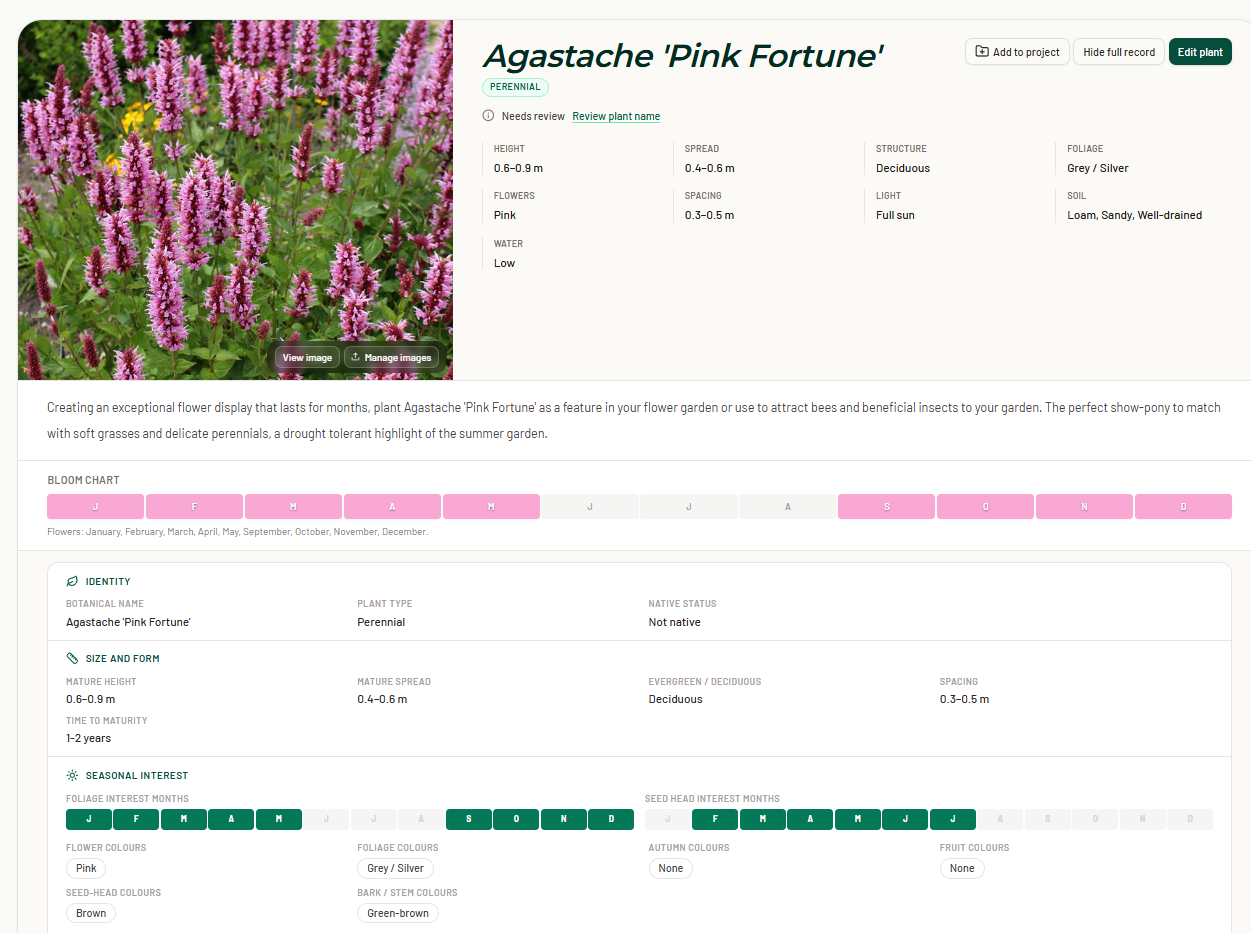
A useful plant record should contain enough information to help you answer a simple question:
Is this the right plant for this place and this design?
That usually means recording:
- botanical and common names
- plant type and form
- mature height and spread
- sun, soil and moisture requirements
- flowering and seasonal interest
- tolerances such as frost, heat or drought
- useful design characteristics
- accurate reference images
You do not need to record every possible horticultural detail. Focus on the information you actually use when making planting decisions.
Organise plants around how you search
Alphabetical browsing is useful, but designers rarely start with a plant name.
More often, the question is:
What could work in dry summer shade?
or:
Which evergreen shrubs could give me around 1.5 metres of screening?
A useful plant library should therefore let you search and filter by things such as plant type, mature size, growing conditions, flower colour, season, foliage and tolerances.
The aim is not simply to store plants. It is to make them easy to find again.
Keep your master library separate from project palettes
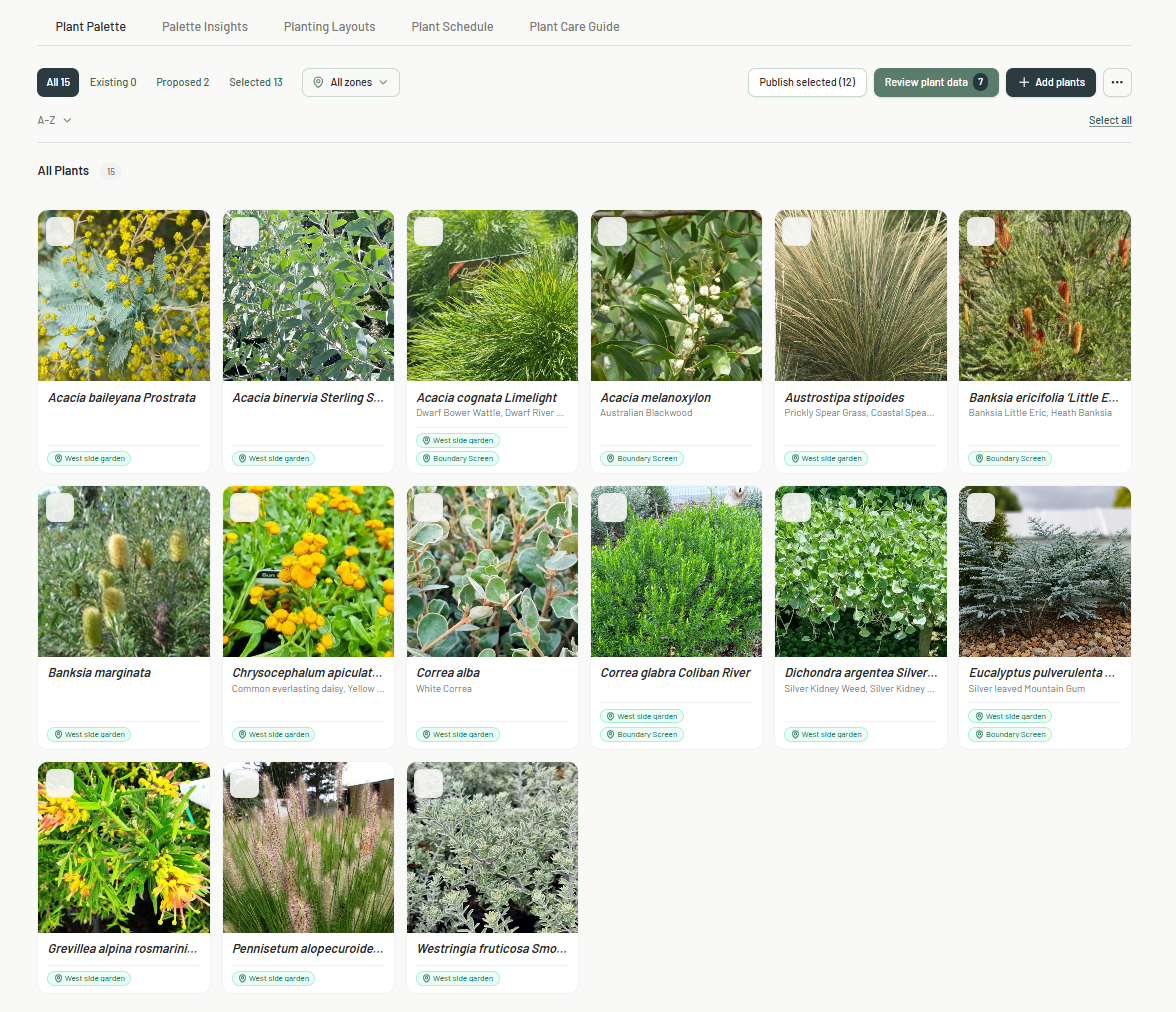
Your master plant library and your project plant lists serve different purposes.
Your master library contains plants and knowledge you may want to use again.
A project plant palette contains plants being considered for one particular garden.
Keeping those two layers separate means every project can draw from the knowledge you have already built, rather than requiring you to research the same plants repeatedly.
Save reusable plant palettes
A plant library becomes even more useful when you can save groups of plants together.
A reusable Plant Palette might be built around:
- dry summer shade
- cool-climate perennial planting
- low-maintenance screening
- soft green and white planting
- silver foliage
- a particular garden style or site condition
These palettes are not fixed planting schemes. They are starting points that can be adapted for future projects. Over time, your plant library becomes more than a database.
It becomes a record of your own design knowledge.
Separate plant facts from project decisions
It is also useful to distinguish between information about the plant itself and the reason you selected it for a particular garden. Your master plant record might contain its size, flowering season and growing conditions.
The project might record:
Selected beside the terrace for fine texture and movement.
That design reasoning belongs with the project rather than the master plant record. Keeping the two separate helps your library stay useful without becoming cluttered.
Build the library as you work
You do not need to build a perfect plant library before it becomes useful.
Start with:
- plants you use regularly
- plants from current projects
- previous planting schedules
- trusted favourites
- new plants as you research them
Each project can then add to your library.
That is far more practical than trying to create hundreds of perfect plant records before you begin using the system.
When spreadsheets start to become difficult
Spreadsheets are often a perfectly good starting point for a plant library. The limitations tend to appear as the collection grows.
Images become awkward to manage. Filtering becomes more complicated. Project selections get mixed with master data. The same plant information may be duplicated across several files.
That is usually the point where a dedicated searchable plant library starts to become more useful.
Building a plant library in PlantFrame
PlantFrame Library was designed specifically for this workflow.
Garden and landscape designers can build their own searchable plant library, import existing plant lists, enrich plant records with horticultural information and images, and create reusable Plant Palettes for future projects.
The idea is simple: build your own body of plant knowledge once, then keep using it.
Build a plant library you can actually use again.
Import your existing plant lists, search by growing conditions and create reusable Plant Palettes
in one searchable place.